Features
What the assistant actually does
Sublex Chat reads your website, your documents and your prices, then answers your customers from those and nothing else. Here is all of it, including what it will not do.
On every plan, including the free one
None of this is an upgrade. It is what Sublex Chat is.
It reads your website by itself
Give Sublex Chat your web address and it crawls your pages, follows the links it finds, and builds the assistant from what it read. Nothing to train and no flowchart to draw.
It answers only from your own material
The pages it crawled, the text you pasted, the questions you answered, and the description you wrote of your business. There is no third source, so it cannot repeat something a model believes about your trade.
It says so when it does not know
No guess, no plausible-sounding invention. It cannot quote a price, confirm a booking or give medical, legal or financial advice, however the question is put.
Every question it could not answer, listed
In your customer's own words, with how many times it has been asked, and a button to answer it. Answer once and it stops being a gap. Clients say this is the screen they would not give up.
An inbox, not just a bot
Every conversation in one place, searchable, with unread marks per person, snooze, saved replies, and notes. A customer asking for a person flags the thread and emails whoever should see it.
It replies in your customer's language
Whatever they write in, and with no setting to change. The chat window itself ships in English, French, Arabic and Spanish, with the whole layout mirrored for Arabic rather than the words swapped.
One line to install
Paste it into your site the way you would a statistics tag. It works on WordPress, Wix, Shopify, Webflow and anything else that lets you add a script.
Your data stays yours
Export any conversation as a file, erase a thread completely, and set how long transcripts are kept. Your own staff can read them; ours cannot, and the database enforces that rather than a policy.
What each plan adds
Generated from the plans themselves, so it says what you will actually get. The full grid, with prices, is on the pricing page.
How well it answers
Starter adds
- Teach it from documents — PDF and Word
- Custom instructions for the assistant
- Suggested questions visitors can tap, from your own material
- Charts and history, not only the current period
Business adds
- Intent detection on leads
- Advanced analytics and the AI Improvement System
When it needs a person
Starter adds
- Rules for handing over to a person
- Pre-chat form, with a visible skip
Business adds
- Live chat and human takeover
- Office hours and availability
- Assign, note and resolve in the inbox
- Require the pre-chat form before a first message
- Phone and custom fields on the pre-chat form
Making it look like yours
Starter adds
- Any brand colour, not only the presets
Business adds
- Your assistant's own name on the chat window
- A custom launcher icon
- Custom chat wording and offline message
- Remove "Powered by Sublex Chat"
What the screens look like
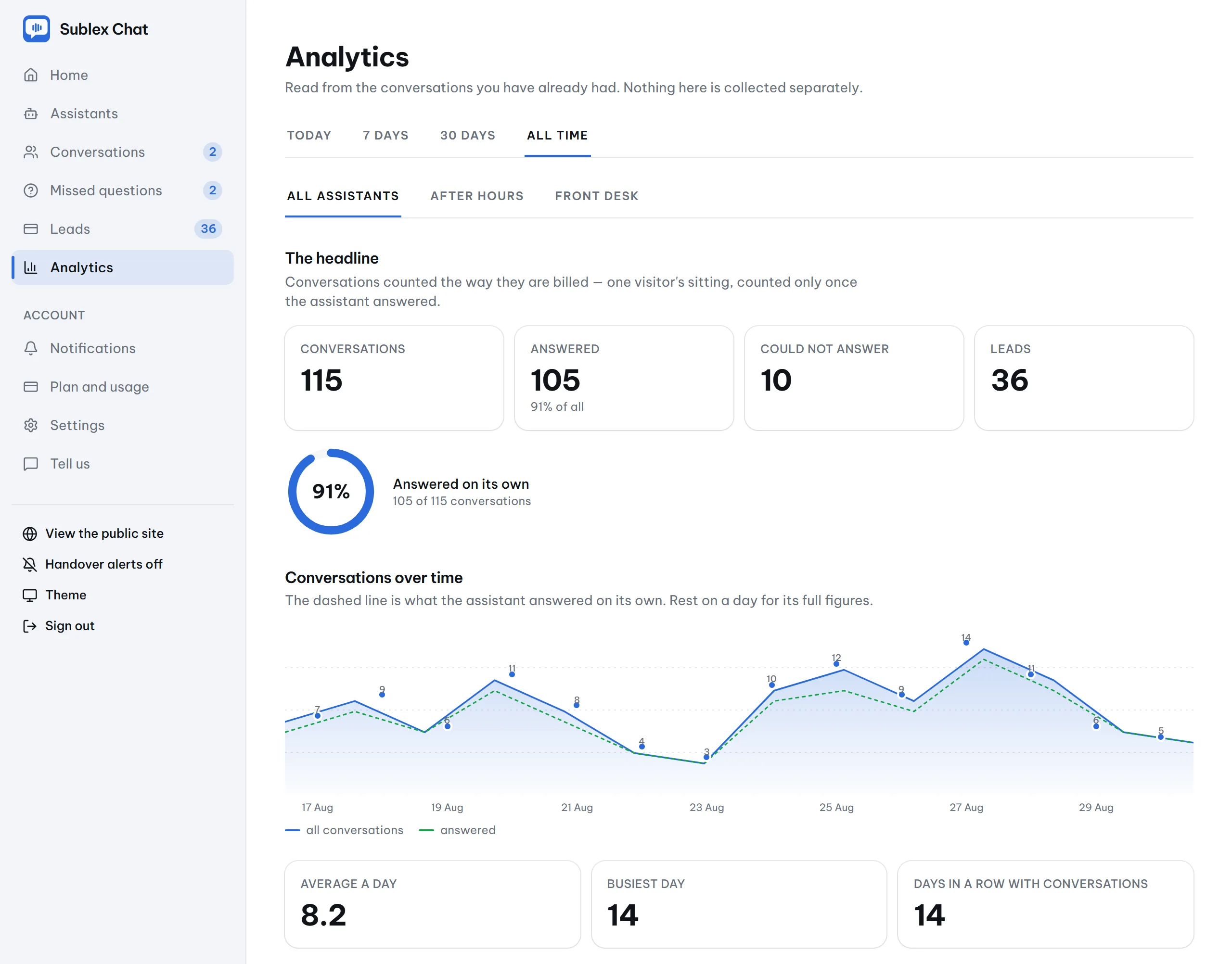
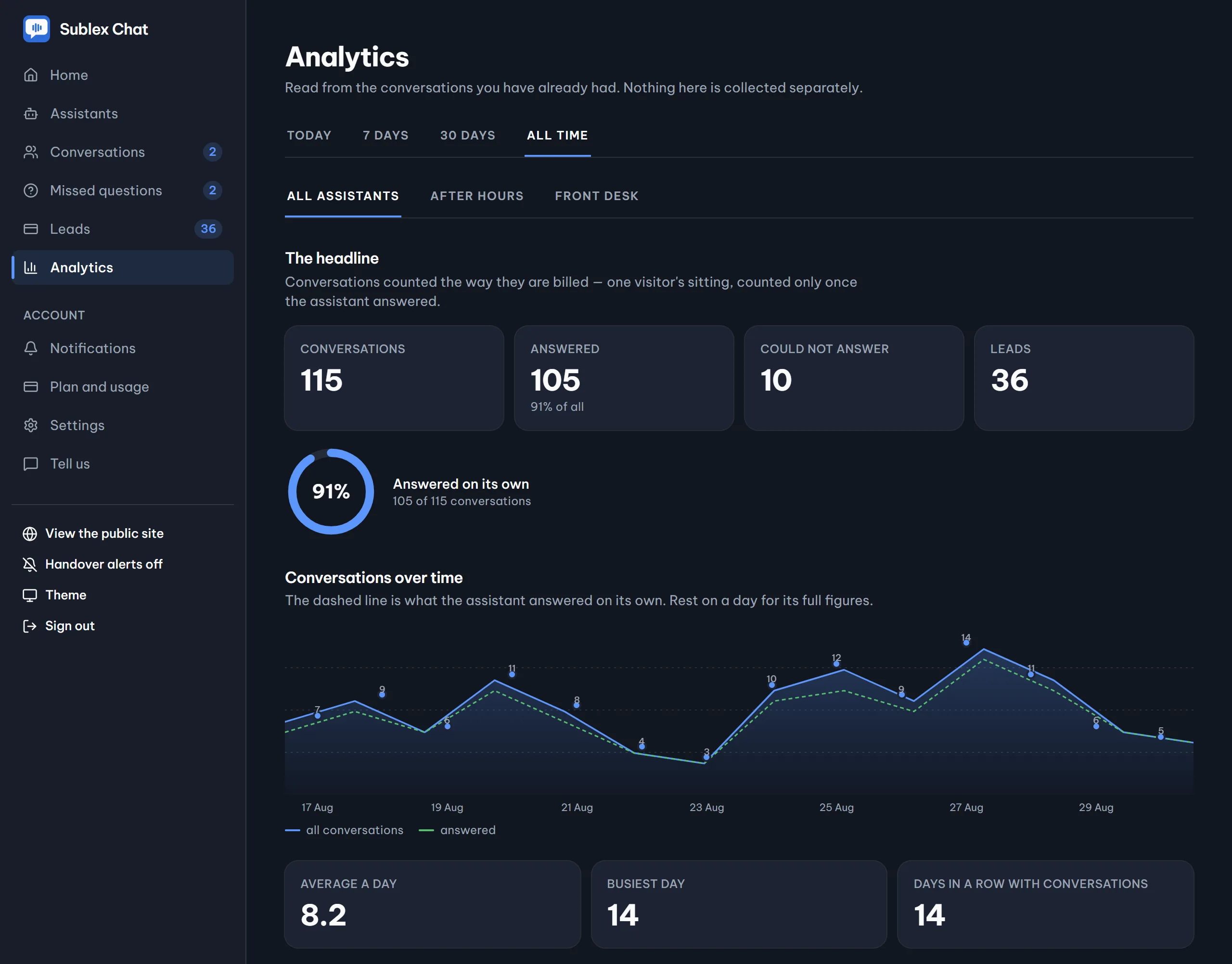
Real captures, not mockups. The customer window and the two dashboard screens that matter most, light and dark to match your device.
The window your customers see
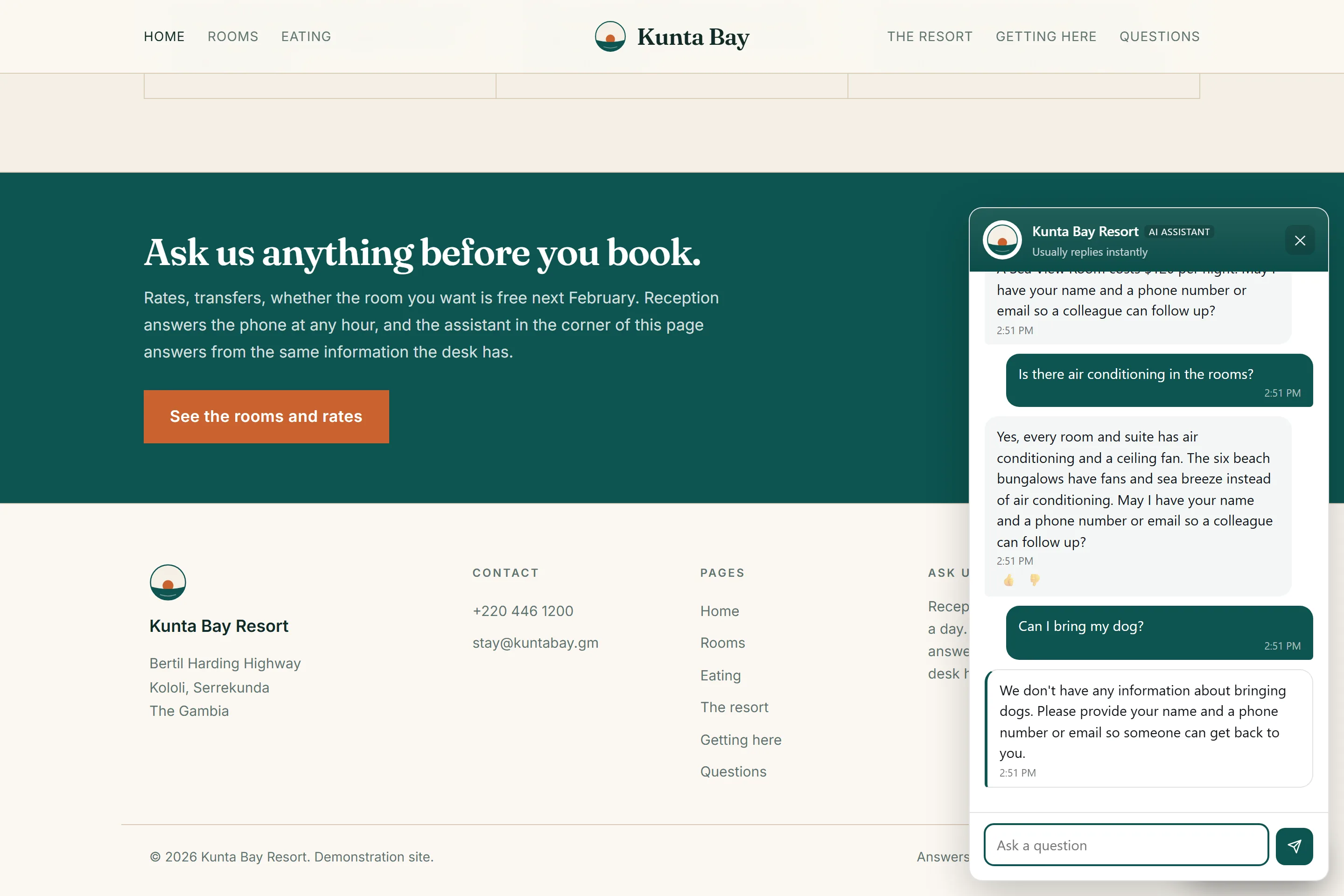
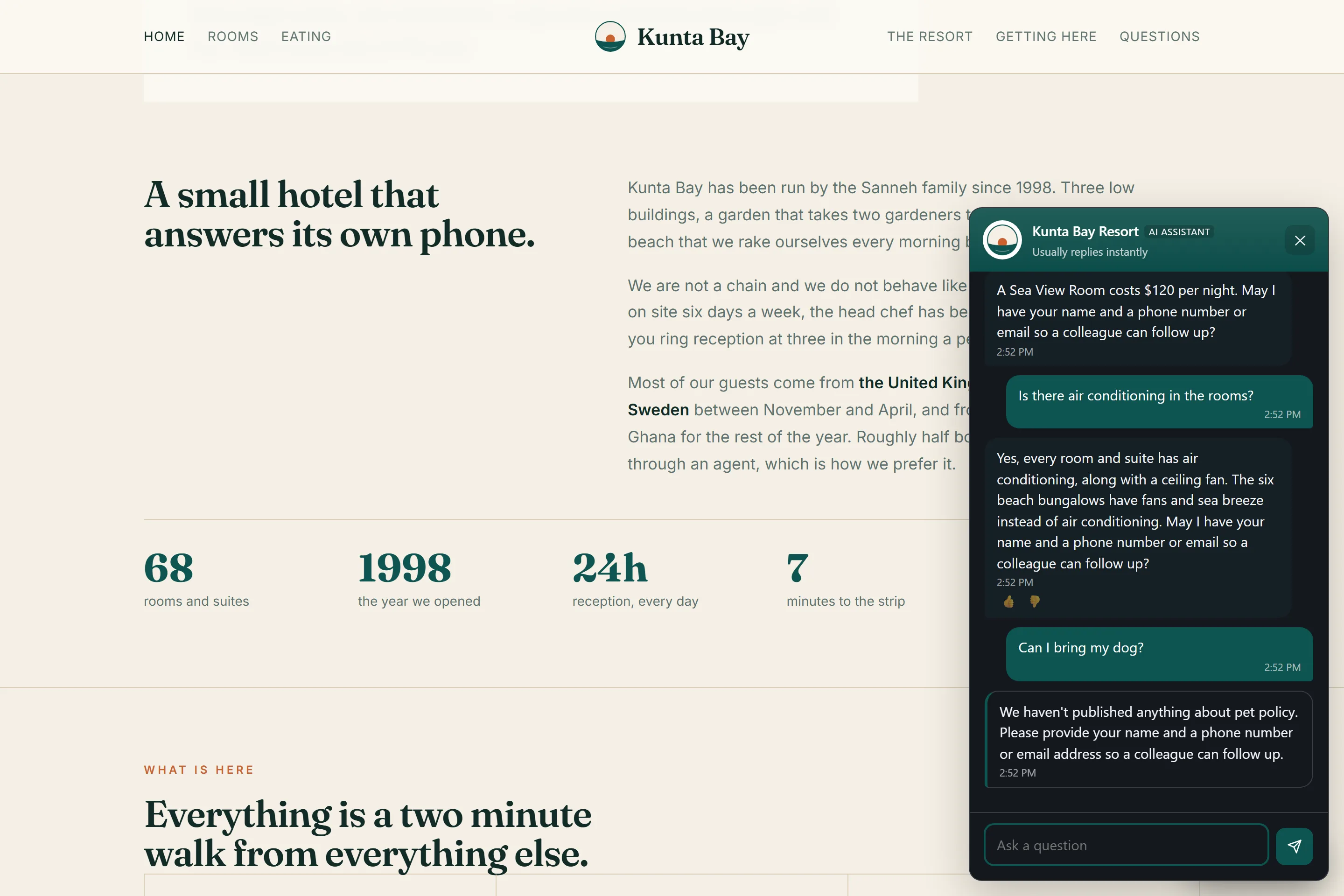
The chat panel, open on a real business’s website and wearing that business’s own colour. It says AI assistant under the name so nobody is misled, and answers only from the material that business gave it — the fine print included, and a plain “I don’t have that” when the answer is not there.
What it answers from
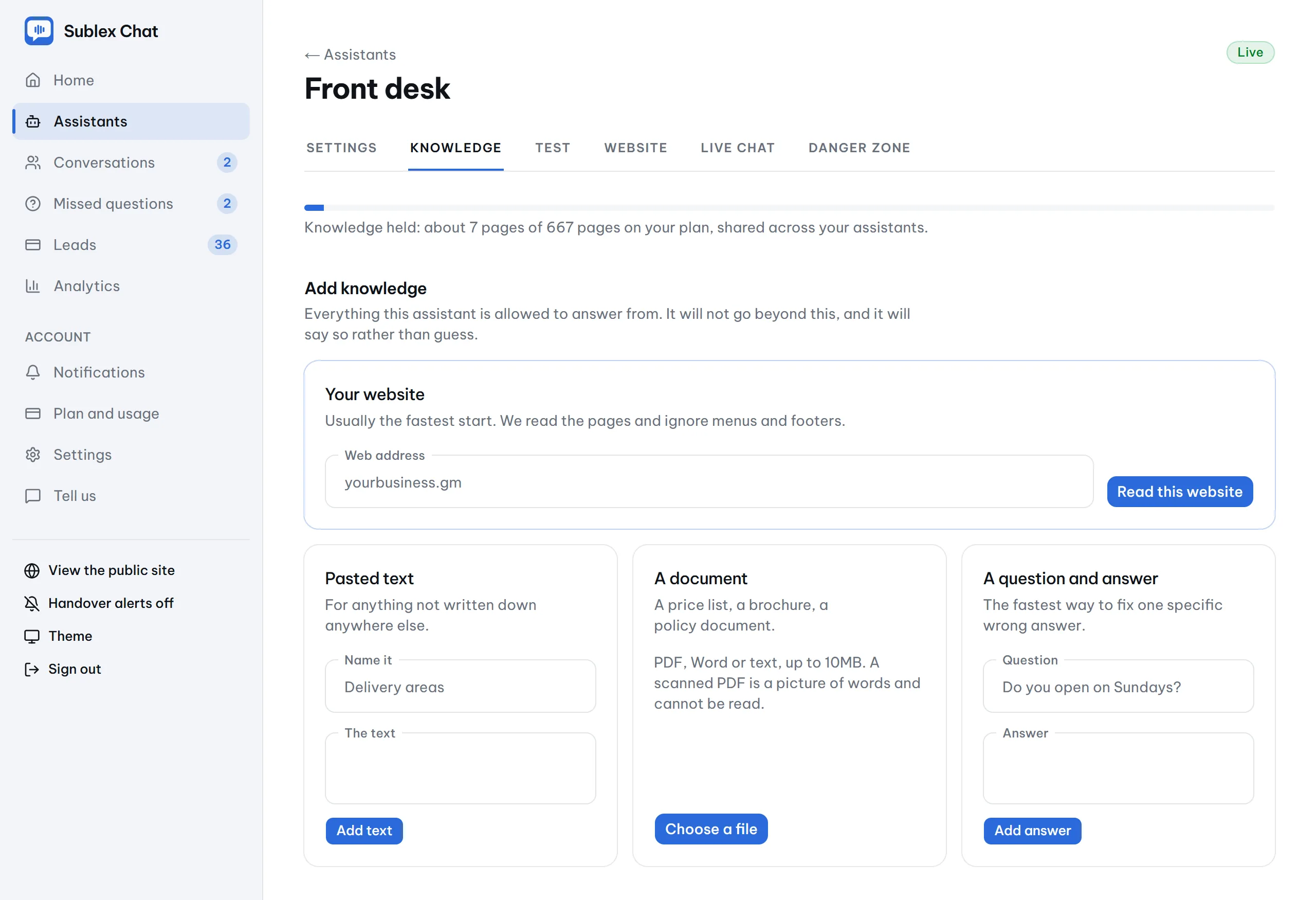
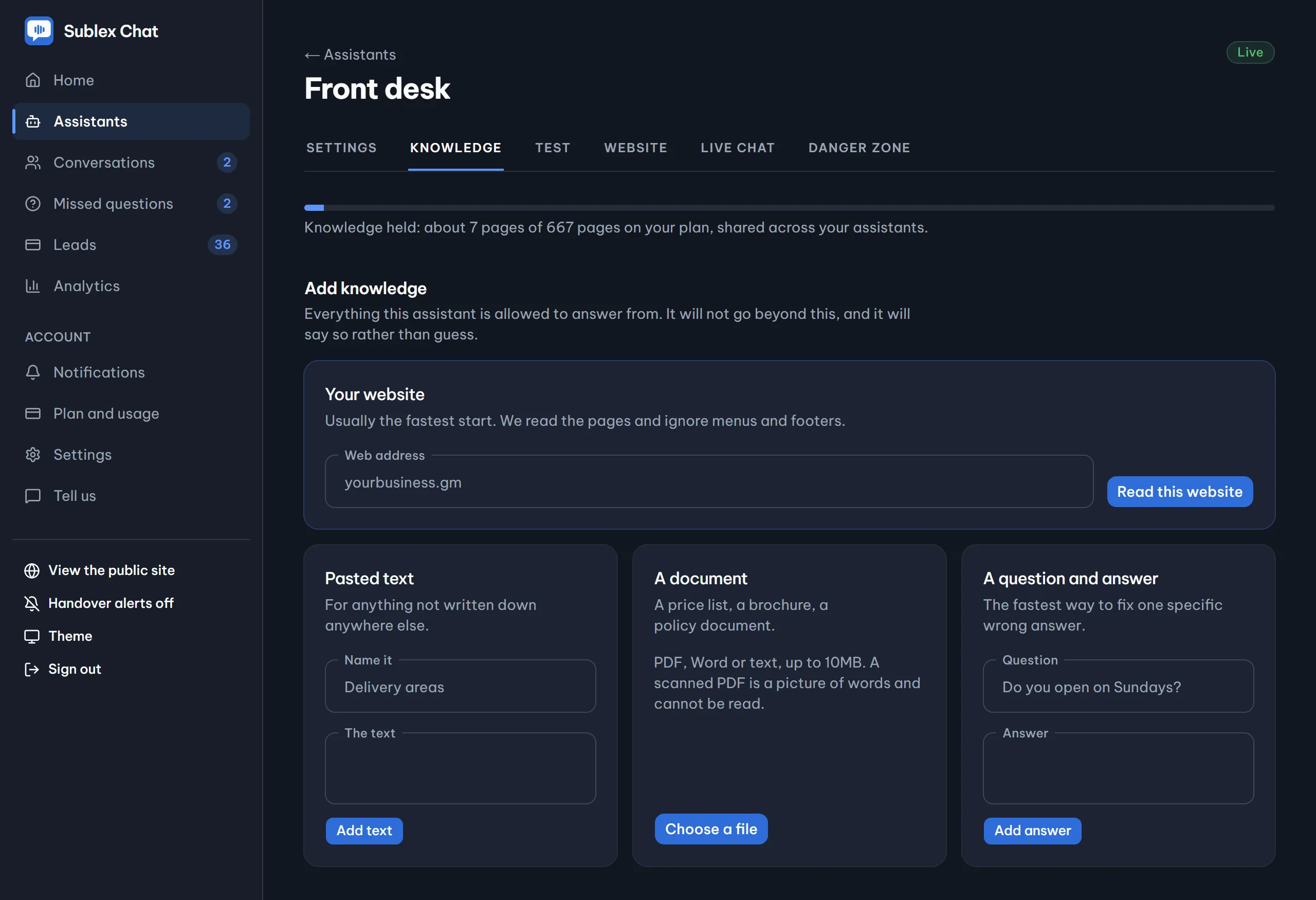
Everything the assistant holds, in one place — the pages it crawled, your documents, pasted text and answered questions — with a meter showing the pages held against your plan.
What you learn from it
Conversations over time, the busiest hours, and the topics customers keep raising — which is how you find out what your website should say next.
What it will not do
The things Sublex Chat is not, said here rather than discovered after you have paid.
It will not book anything
Sublex Chat has no calendar behind it, so it does not propose a time, confirm an appointment or promise a callback at an hour. It takes the request and hands it to a person.
It does not know your stock or your orders
It answers from documents, not from your shop or your order system. Ask it whether something is in stock and it will say it cannot see that.
There is no public API yet
Five routes, all internal. If you were planning to build on top of it, that is a later phase and not something to buy on today.
No voice, and no native mobile SDK
The widget lives in web pages, so an app showing your site in a web view carries it. A true native app does not, and there is no phone channel.
Some things enterprises ask for do not exist
Data kept inside your own country, single sign-on, and a signed uptime commitment are real requests and none of them is built. Better said here than discovered at procurement.
See it read your own website first
Type your web address and watch it answer questions about your business. No account, and nothing to install to try it.